

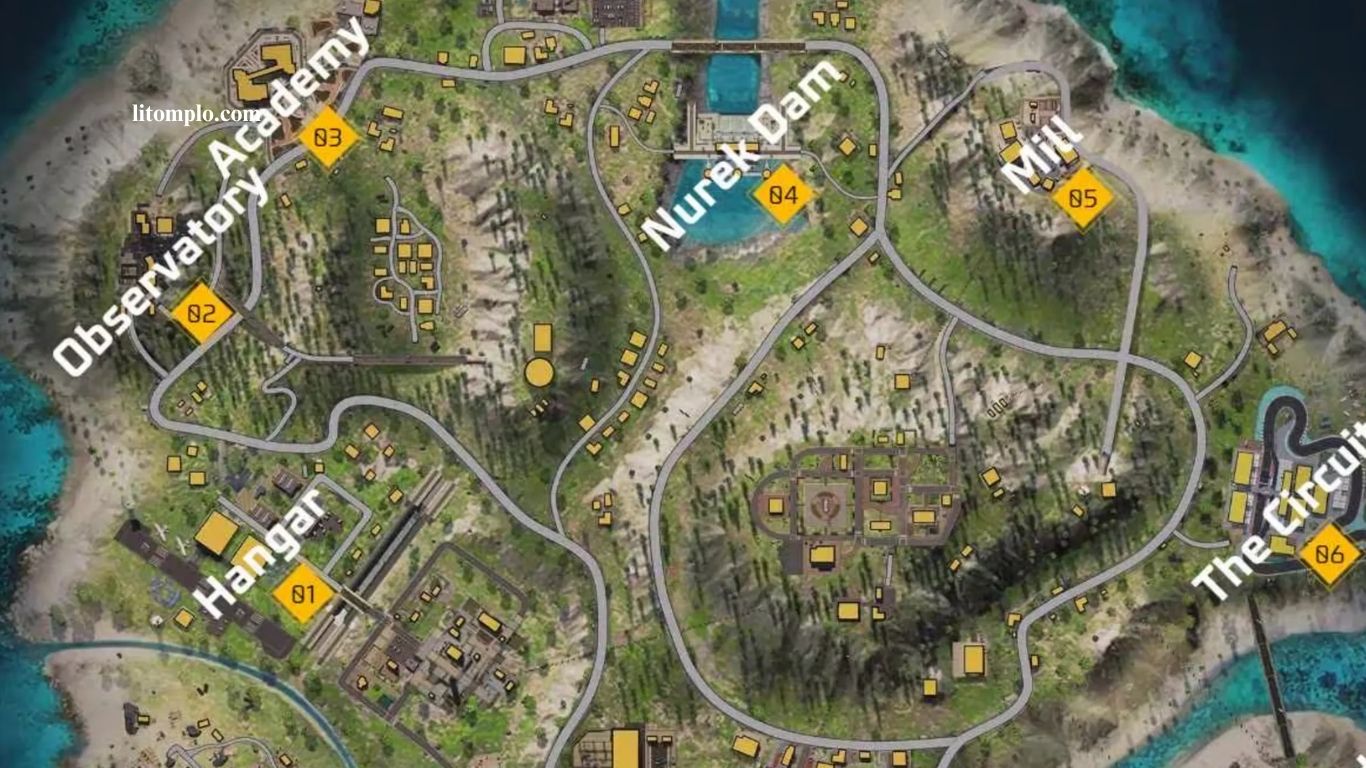
The center of the Free Fire map ranks among the most dangerous areas, attracting players with high-tier loot and strong tactical control. Frequent firefights transform this zone into a hotspot for surprise attacks and well-planned ambushes. Survival demands more than fast reflexes; success relies on smart positioning, sharp map awareness, and confident decision-making.
Players who understand terrain flow, predict enemy rotations, and adapt tactics quickly gain a clear competitive edge. This guide delivers practical strategies to help you move safely through the center, avoid deadly traps, and turn high-risk encounters into winning opportunities every match.
Read More: Top Zones Favored by Skilled Free Fire Gamers
How to Avoid Ambushes in the Center of the Free Fire Map
Surviving the center of the map demands smart strategy, constant awareness, and controlled movement. Valuable loot attracts heavy player traffic, turning this zone into a prime ambush area. Staying alive depends on alert positioning, reading enemy behavior, and knowing the right moment to disengage. By combining caution with tactical decisions, players can reduce risks and maintain control. The strategies below will help you anticipate threats, avoid surprise attacks, and stay ahead of opponents in high-pressure situations.
Maintain Constant Vigilance
Staying alert plays a vital role in avoiding ambushes at the center of the Free Fire map. Awareness allows you to detect enemies early and respond effectively. Follow these proven practices:
- Use the heat map: Identify high-activity zones to predict enemy movement and prepare for encounters.
- Explore carefully: Move slowly into central areas, clearing buildings and key positions while checking corners and hiding spots.
- Use headphones: Listen for footsteps, gunfire, and vehicle sounds to locate nearby opponents before they strike.
Consistent vigilance reduces surprises and keeps you one step ahead in intense situations.
Employ Effective Movement Tactics
Smart, continuous movement helps you survive intense encounters in Free Fire by making you harder to track and eliminate. Apply these movement techniques to stay protected:
- Keep moving: Avoid lingering in open spaces, as constant motion lowers the risk of being targeted.
- Leverage terrain: Use trees, buildings, and natural cover to stay concealed and reposition quickly.
- Choose safe routes: Bypass high-traffic areas and select alternative paths that reduce enemy exposure.
Strategic movement keeps opponents guessing and significantly lowers ambush risks.
Identify High-Risk Zones
Certain central locations in Free Fire attract heavy player traffic, making them common ambush zones. Recognizing these areas early helps you plan safer movements and avoid deadly traps. Watch these key spots closely:
- High-activity areas: Ports, airports, and shopping zones often host multiple squads, so approach slowly and stay prepared.
- Tall buildings: Elevated structures offer strong ambush advantages; enter cautiously and clear each level carefully.
- Popular drop points: Crowded landing zones demand a clear escape route to prevent getting pinned down.
Understanding high-risk zones improves survival, allowing confident navigation through the center while minimizing ambush threats.
| Tactic | Description |
|---|---|
| Constant surveillance | Use the heat map, explore methodically, and rely on headphones to detect nearby enemies early. |
| Movement tactics | Keep moving, leverage terrain for cover, and choose safer routes to minimize exposure. |
| Awareness of high-risk areas | Avoid high-traffic zones, tall buildings, and crowded drop points unless you have a clear escape plan. |
Best Sensitivity for Headshots in Free Fire
Consistently landing headshots depends on selecting the right sensitivity settings. Ideal sensitivity differs by device, control layout, and personal playstyle. Fine-tuning these settings improves aiming precision in both close- and long-range fights, enhancing accuracy and reaction time. Optimized sensitivity gives you a clear competitive advantage, helping you hit critical shots more reliably and dominate encounters across every match.
Factors to Consider When Adjusting Sensitivity
Optimizing sensitivity in Free Fire depends on several key factors:
- Device: Screen size and resolution affect sensitivity. Larger screens often need lower sensitivity for precise control, while smaller screens benefit from higher sensitivity for faster movements.
- Controls: Button size, placement, and layout impact aiming accuracy. Customize controls for comfort and smooth, responsive targeting.
- Playstyle: Close-range fighters usually prefer higher sensitivity for quick turns and rapid reactions, whereas long-range shooters favor lower sensitivity to maintain stability and precision.
Considering these factors ensures consistent headshots and better overall performance.
Recommended Sensitivity Settings for Headshots
Choosing the right sensitivity in Free Fire can dramatically improve accuracy:
- Low Sensitivity: 100% Overall, 50% Aim, 100% Scope – Best for long-range combat, allowing precise adjustments while maintaining stability.
- Medium Sensitivity: 150% Overall, 75% Aim, 150% Scope – Balanced for both close- and long-range fights, offering speed without sacrificing accuracy.
- High Sensitivity: 200% Overall, 100% Aim, 200% Scope – Ideal for aggressive close-range players who require fast, precise movements and can handle higher recoil.
Experimenting and customizing these settings based on your device and playstyle helps maximize headshots and dominate matches.
Where Is the Safe Zone in Free Fire?
The safe zone is a shifting area on the map that changes as the match progresses. Initially, it covers most of the map, but it gradually shrinks, forcing players to move. Staying inside the safe zone is crucial, as being outside deals continuous damage that can lead to elimination. The zone is marked by a blue circle on the map, and both visual and audio alerts warn players before it contracts, giving a limited window to reposition and stay protected. Navigating the safe zone effectively is key to surviving each match.
How Is the Safe Zone Location Determined?
In Free Fire, the safe zone is randomly generated at the start of each match but follows predictable behaviors:
- Gradual Shrinkage: The zone starts large and slowly contracts, forcing players into closer proximity.
- Movement Toward Less Explored Areas: New zones often shift toward parts of the map with fewer players, encouraging exploration.
- Non-Overlapping Circles: Each new safe zone rarely fully overlaps the previous one, requiring players to move and constantly adjust positioning to stay inside.
Understanding these patterns helps players anticipate movement and survive longer.
Tips for Surviving in the Safe Zone
Staying safe in the Free Fire safe zone requires awareness and smart planning:
- Monitor Announcements: Watch for visual and audio alerts signaling the next safe zone. Early planning prevents last-minute rushes and reduces enemy exposure.
- Use Vehicles for Fast Travel: Vehicles help you reach distant zones quickly, saving time and energy, especially in early stages.
- Seek Cover and High Ground: Choose spots with natural cover or elevation, like hills and tall buildings, for better defense and spotting enemies.
Strategic movement and understanding safe zone behavior increase survival and give a competitive edge.
How to Prevent Free Fire from Lagging
Lag can seriously affect your performance in Free Fire, making quick reactions and accurate aiming challenging. Optimizing your device and adjusting in-game settings are key to reducing lag, ensuring smoother gameplay, and improving overall control during intense matches.
Optimize Your Device Settings
Making sure your device runs efficiently is essential for smooth Free Fire gameplay:
- Update Your Operating System: Keep your OS current to enhance compatibility and overall performance.
- Clean Up Internal Storage: Remove unused apps and files to free memory; cleaning apps can optimize storage for smoother gameplay.
- Disable Background Apps: Close unnecessary apps running in the background, as they consume resources and can cause lag.
Proper device optimization ensures faster load times, better responsiveness, and a more enjoyable gaming experience.
Configure In-Game Settings
Adjusting settings in Free Fire can greatly enhance performance:
- Reduce Graphic Quality: Lower resolution, refresh rate, and visual effects to ease device load.
- Disable Shadows and Reflections: Turning off these resource-heavy effects helps reduce lag and smooths gameplay.
- Enable Battery Saving Mode: Use your device’s battery saver or performance mode to optimize resources during gaming.
Applying these settings minimizes lag, ensures smoother gameplay, and provides a competitive advantage in every match.
How to Set Everything to Red in Free Fire
Customizing Free Fire to an all-red interface improves visibility and gives your game a bold, unique look. Follow these steps:
Access Appearance Settings
- Open Free Fire and go to Settings from the main menu.
- Navigate to the Appearance or Customization tab.
Adjust the Color Scheme
- In Appearance, find Theme or Color Scheme.
- Select a red theme if available, or customize elements individually.
- For UI components like the minimap, icons, buttons, and borders, use the color selector to turn each element red.
Save and Test Changes
- Save your settings and return to the game.
- Verify that all UI elements appear red.
Create a Custom Color Scheme
- Go to Appearance > Color Scheme > Create Custom Scheme.
- Set all elements to red and save.
- Confirm in-game that the new scheme is applied correctly.
Following these steps fully transforms your Free Fire interface, enhancing both aesthetics and gameplay clarity.
Frequently Asked Questions
What is the safe zone in Free Fire?
The safe zone is a shrinking area on the map that players must stay within to avoid damage and elimination.
How can I improve headshot accuracy?
Adjust sensitivity settings based on your device, control layout, and playstyle. Practice aiming consistently in both close- and long-range combat.
Which areas are most prone to ambushes?
High-activity zones, tall buildings, and popular drop points are common ambush spots in the center of the map.
How do I reduce lag in Free Fire?
Optimize your device, close background apps, lower graphic settings, and enable battery/performance mode.
What is the best movement strategy?
Keep moving, use terrain for cover, and choose safer routes to stay unpredictable.
How is the safe zone location determined?
It’s randomly generated but shrinks gradually, often shifting toward less-explored areas with minimal overlap from the previous zone.
Can I customize the game’s interface colors?
Yes, using Appearance or Color Scheme settings, you can create a custom red theme for all UI elements.
Conclusion
Mastering Free Fire requires a combination of strategy, awareness, and customization. Understanding the safe zone, anticipating ambushes, optimizing sensitivity, and fine-tuning device and in-game settings all contribute to improved performance. Employing tactical movement, monitoring high-risk areas, and customizing the interface can give players a clear competitive edge.
